Your site looks beautiful in the demo. The slider moves. The contact form sends an email. And yet, the phone isn’t ringing. The leads aren’t coming in. The checkout page feels like walking through mud.
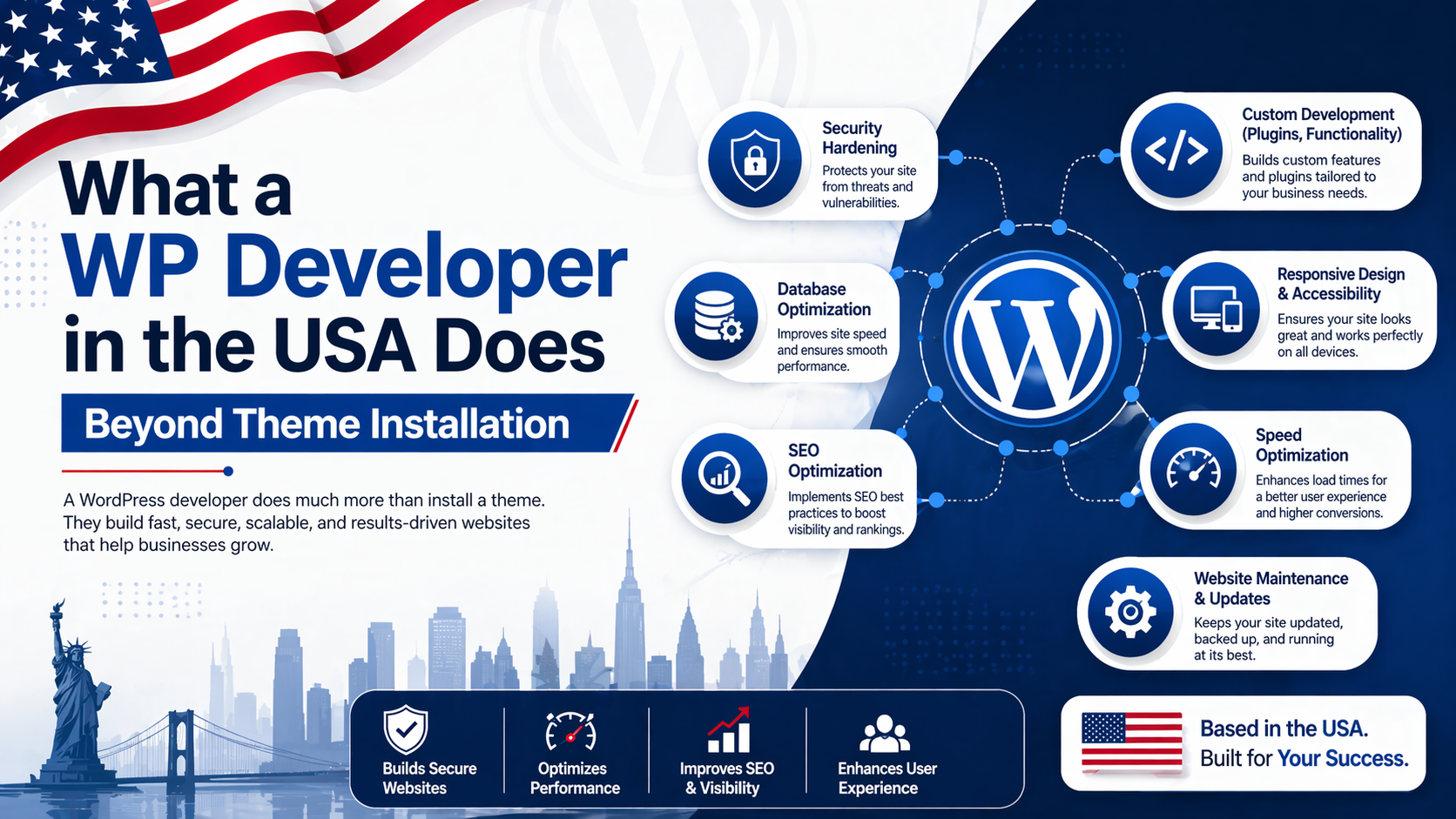
You paid for a website. You might have even paid for a “developer.” But nine times out of ten, what you actually paid for was a theme installation service with a logo swap. That gap between a functioning website and a profitable asset is where the actual work of a wp developer begins.
In the US market—where competition for attention is measured in milliseconds and trust is fragile—stopping at theme installation is a business liability. Here is exactly what happens after the theme is uploaded, and why that work translates directly to your bottom line.
The most expensive line item on your P&L isn’t the web hosting bill. It’s the opportunity cost of a site that loads in 4.2 seconds while your competitor loads in 1.1. It’s the lost sale because the database crashed during a traffic spike. It’s the manual data entry you’re paying an employee $22/hour to do because two plugins refuse to talk to each other.
Here is the distinction in terms a business owner can act on:
| Aspect | Theme Installer Approach | WP Developer Approach |
|---|---|---|
| Page Speed | Installs a caching plugin. Hopes. | Audits render-blocking resources, optimizes the database query loop, implements proper object caching. |
| Security | Installs a free security plugin. Relies on alerts. | Hardens server configuration, sets proper file permissions, implements Web Application Firewall (WAF) rules. |
| Functionality | Installs 47 plugins. Site slows to a crawl. | Writes custom, lightweight code in a child theme or mu-plugin. |
| Updates | Hits “Update All.” Prays the site doesn’t break. | Tests in a staging environment, checks for PHP compatibility, deploys only when safe. |
| Outcome | A website that exists. | A website that converts. |
What this means in practice: A theme installer gives you a paint job. A developer gives you a tuned engine.
Business owners in the USA are not paying for lines of code. They are paying for reliability and speed. Let’s look at the specific, tangible work a wp developer performs that remains invisible to the eye but obvious to the bank account.
When a theme installer builds a site, they often leave the default settings intact. This means the browser loads every single CSS and JavaScript file before showing a visitor the top of the page. This is called “render-blocking.”
A wp developer audits the waterfall chart of the site load. They identify which scripts are essential for the first paint of the screen and which can wait. They implement deferred loading and critical CSS generation. This is not a plugin checkbox. This is a manual process of reviewing the network tab and rewriting how assets are delivered, often referencing standards like the Critical Rendering Path on MDN.
For a business owner, this means: Your visitor doesn’t stare at a white screen or a jumping header for three seconds. They see the “Buy Now” button instantly. Speed is a trust signal. Slow sites look untrustworthy, especially to US audiences used to Amazon-level performance.
Plugins that “clean the database” are fine for a quick sweep. But they do not solve structural bloat. A wp developer looks under the hood at the wp_postmeta and wp_options tables. Over time, even deleted plugins leave behind orphaned rows of data—known as “autoloaded data.”
If the autoload flag is set to “yes” for 50,000 rows of useless data, your server has to pull all 50,000 rows into memory on every single page load, regardless of who visits. This is the silent killer of server response time (Time to First Byte).
A wp developer runs diagnostic queries to find these offenders and either deletes them or changes the autoload value to “no.” This is a delicate operation requiring direct database access and a backup strategy.
Business impact: A lean database means your hosting bill stays lower for longer. You can handle more concurrent visitors during a Black Friday sale without needing to upgrade to a $500/month dedicated server.
There is a massive industry built around selling Wordfence subscriptions. And while Wordfence is a solid tool, a wp developer secures the site at the server level before the plugin is even needed.
This involves:
wp_ table prefix to something obscure.This aligns with the WordPress Hardening Guide. These are not one-click settings. They require SSH access and comfort with the Linux command line.
In simple terms: A theme installer can clean up a hack after it happens (if you’re lucky). A wp developer builds a house with locks on the doors and bars on the windows so the burglar moves on to the easier target next door.
Let’s say you use a US-based CRM like HubSpot or Salesforce. You also use WooCommerce. You want to send specific customer data (e.g., “Customer spent > $500, tag as VIP”) to the CRM only after a successful payment.
A theme installer installs a plugin like “WP Fusion” or “Zapier Add-on for WooCommerce.” That adds 10-20MB of PHP overhead and often a monthly subscription fee. It also adds another point of failure during updates.
A wp developer writes a small snippet of code using WordPress action hooks (specifically woocommerce_order_status_completed). It’s about 15 lines of PHP. It runs only when needed, consumes zero extra memory on 99% of page loads, and doesn’t require a subscription.
What this means in practice: Lower monthly software costs and a site that runs faster because it isn’t loading a massive plugin just to push one button.
This is a common pattern I see when auditing sites originally built by generalist agencies.
The Situation: A client came to me with a WooCommerce store selling custom apparel. The site took 4.2 seconds to load the shop page. The previous team had installed three different caching plugins (W3 Total Cache, WP Rocket, and a server-level cache) because each one “didn’t seem to work.” They were fighting each other for control of the page buffer. Additionally, the theme was loading Font Awesome icons, but also loading a separate icon set for social media buttons. Total requests: 143.
The Cause: Conflict between multiple optimization plugins and unoptimized asset delivery.
The Fix (Developer’s Approach):
The Outcome: Page load time dropped to 1.1 seconds. The “Add to Cart” rate increased by roughly 19% within the first ten days. This wasn’t a marketing change. It was purely removing friction from the checkout experience.
If you recognize these symptoms, you don’t need a new theme. You need a wp developer.
If you’re speaking with a potential web development specialist in the USA or globally, bypass the “How many years of experience?” question. It’s useless. Ask these three specific questions instead:
WP-CLI?” If they say “What’s that?” you are talking to a front-end clicker, not a developer. WP-CLI is the command-line tool for managing WordPress efficiently. It’s the scalpel to the dashboard’s butter knife.Read also: Questions to Ask a Web Development Company in the USA Before Hiring
For US-based businesses, the technical work of a wp developer has a direct and measurable impact on SEO. Google uses Core Web Vitals—specifically Largest Contentful Paint (LCP) and Cumulative Layout Shift (CLS)—as ranking factors.
A theme installer doesn’t think about CLS. That’s the metric that measures “jank”—when the text shifts down because a late-loading ad or font file finally appears. When your buttons jump around, people click the wrong thing. That’s friction. That’s lost trust.
Following Google’s Core Web Vitals Guidelines is not an SEO gimmick. It is a blueprint for how a wp developer structures the front-end of a site. For a business owner, this means: Better rankings, lower bounce rates, and higher conversion rates from the same traffic volume you already pay for.
If you find yourself avoiding your own website’s admin panel because it feels like a fragile house of cards, or if your loading spinner is the first thing customers see when they find you on Google, this is exactly the type of audit and restructuring I provide for my clients. It’s not about making things “prettier”—the theme already did that. It’s about making the site professionally resilient.
Whether you need deep WordPress speed optimization service to fix a sluggish store, or you suspect there is hidden bloat that needs ongoing maintenance plans to keep things clean, the goal is the same: stop managing a website and start owning a revenue asset.
There is a vast ocean between “Activate Theme” and “Production Ready.” A wp developer navigates that ocean with technical precision, understanding that every millisecond of delay is a dollar left on the table and every security oversight is a potential weekend of panic.
Most websites try to impress users with flashy animations. The best ones remove friction so quietly the user never notices the work at all. And that difference—the invisible smoothness—is what users remember, and what businesses profit from.