Plugin caching (WP Rocket) works for small sites. But at 50,000+ monthly visitors, server-level caching delivers faster TTFB, handles traffic spikes without crashes, and lowers hosting costs. Here is why business owners make the switch.
For most WordPress sites, WP Rocket is the go‑to solution. Install it, tick a few boxes, and page speed improves. That works perfectly for smaller blogs and local business sites.
However, high‑traffic sites – those generating real revenue – eventually outgrow plugin‑based caching. Signs of trouble include:
Server‑level caching (Nginx FastCGI Cache, Varnish) solves these problems at the infrastructure level. This guide explains why – and when – to make the move.
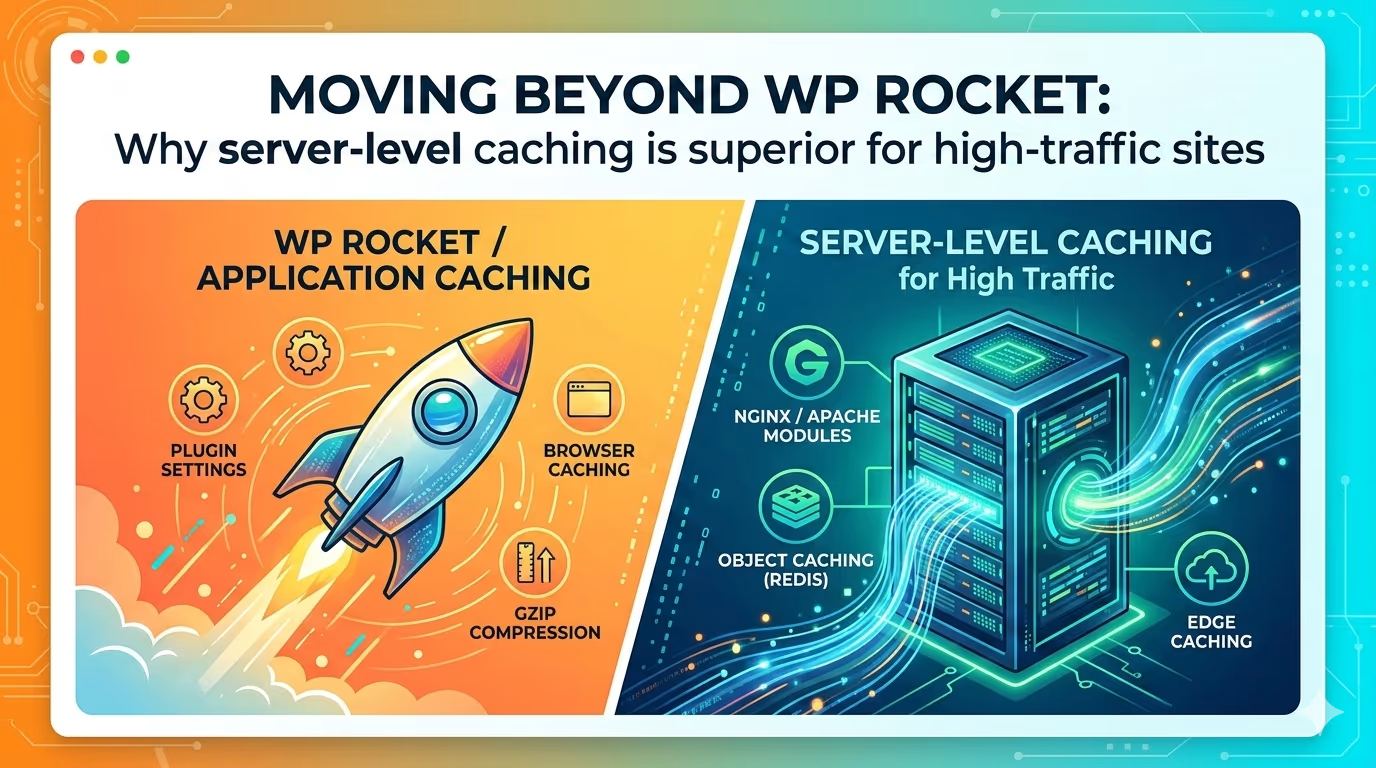
WP Rocket is a PHP application that runs inside WordPress. Every request still fires up PHP, loads part of WordPress, and then serves a cached file. For a site with 1,000 daily visitors, that extra work is fine.
At 50,000+ daily visitors, that overhead becomes a bottleneck.
Server‑level caching intercepts the request before WordPress even wakes up. The web server (Nginx) checks for a static HTML copy. If it exists, the server sends it instantly – no PHP, no database, no WordPress.
| WP Rocket (Plugin) | Server‑Level Caching | |
|---|---|---|
| PHP loads? | Yes – every time | No – for anonymous visitors |
| Database queries? | Sometimes | No – for cached pages |
| TTFB (typical) | 300‑600ms | 10‑30ms |
| Concurrent users before slowdown | 200‑500 | 5,000+ on same hardware |
TTFB measures how long a browser waits for the first byte of data from the server. If TTFB is high, nothing else fixes the page speed. Image optimization and lazy loading cannot compensate for a slow server.
Google uses Core Web Vitals as ranking factors. A fast TTFB is the foundation of passing those assessments.
Real‑world impact: Moving from plugin caching to server‑level caching often drops TTFB from 700ms to 20ms. That is not a small improvement – it changes how Google and users perceive the site.
For an eCommerce store, every 100ms of delay correlates with lower conversion rates. Amazon calculated a 100ms delay cost 1% in sales. For a site doing $100,000 per month, that is $1,000 lost every month to slow performance.
When a marketing campaign goes viral or a news article gets shared, traffic can jump 10x in minutes.
With plugin caching (WP Rocket): Thousands of simultaneous requests hit PHP‑FPM. PHP workers have a hard limit. Once they are all busy, new visitors wait in a queue. If the queue gets too long, the server returns 502 errors – the site goes down.
With server‑level caching: The web server (Nginx) serves static HTML files directly. It does not need PHP workers. One server can handle 10,000 concurrent connections on modest hardware because it simply reads files from disk or memory.
Bottom line: Server‑level caching prevents crashes during traffic spikes. Campaigns do not fail because of slow infrastructure.
Every plugin installed increases the attack surface. WP Rocket is generally secure, but it still runs PHP code on every request and requires file system permissions.
Server‑level caching bypasses that plugin code entirely for anonymous visitors (often 90% of traffic). An attacker cannot exploit a vulnerability in a caching plugin if the server never executes that plugin’s code.
Additional security advantages:
For membership sites, eCommerce stores, or any site handling sensitive data, this extra protection layer is valuable.
A common misconception: “My site has dynamic elements – I cannot cache everything.”
Modern server‑level caching does not require caching everything. It caches what can be cached and bypasses what cannot.
Using cookie‑based rules, the server can:
Result: The best of both worlds. No functionality is sacrificed for speed. Anonymous visitors get a fast experience, and logged‑in users see real‑time content.
Anyone who has managed a site with a heavy caching plugin knows the dance:
Server‑level caching is simpler. It just stores HTML files. When a post is updated, the cache for that specific URL is cleared – automatically via a simple function.
No more: “I updated my site but the changes aren’t showing up.”
No more: “Why is my cart showing someone else’s items?”
The cache does exactly what it is configured to do, nothing more.
Stay with WP Rocket if:
Switch to server‑level caching if any of these apply:
| Sign | What it means |
|---|---|
| TTFB consistently over 300ms | Server response is too slow |
| “PHP process limit reached” errors | Plugin caching cannot handle peak load |
| Hosting bill keeps going up for same traffic | Inefficient resource usage |
| Running an online store | Checkout needs priority over cached pages |
| Traffic from multiple time zones | Steady 24/7 load, not just peak hours |
| Marketing campaigns cause slowdowns | Lost revenue from poor performance |
Not all hosting plans support server‑level caching. When shopping for a host, ask:
Managed WordPress hosts like Kinsta, WP Engine, and Flywheel include server‑level caching in their standard plans. Cheaper shared hosting typically does not – that is acceptable for small sites, but plan to upgrade as traffic grows.
Server‑level caching does not replace a Content Delivery Network (CDN). They work together.
When a CDN misses a cached page, it asks the origin server. Nginx serves the cached HTML instantly. The CDN then stores it for future visitors.
Each layer has a specific job. Server‑level caching is the middle layer that prevents traffic from ever hitting the slowest parts: PHP and MySQL.
Object caching is different from page caching but equally important for high‑traffic sites.
WordPress is database‑heavy. Every page load can involve dozens of database queries. WP Rocket caches the HTML output but not the underlying queries.
Redis stores complex query results in memory. When WordPress needs to run a query, it checks Redis first. If the result exists, the database is never touched.
For high‑traffic sites: Both server‑level page caching and Redis object caching are required. A WordPress speed optimization service should evaluate both layers. Together, they create a stack that can handle virtually any traffic load.
“Is server‑level caching difficult to set up?”
It requires server configuration knowledge. Many site owners choose to Hire Freelance WordPress Expert specifically for this migration. The performance payoff makes it worthwhile.
“Can I still use WP Rocket for minification and lazy loading?”
Yes. Server‑level caching replaces only the page caching part of WP Rocket. Use WP Rocket for asset optimization (minifying CSS/JS, lazy loading images) while the server handles page cache. Turn off WP Rocket’s page cache and leave the other features on.
“What about mobile visitors?”
Server‑level caching works seamlessly with responsive design – the same HTML serves all devices. (Separate mobile themes are not recommended in 2026. If used, the cache can vary by device, though that reduces efficiency.)
“Does this work with WooCommerce?”
Absolutely. WooCommerce is notoriously heavy. Offloading product page delivery to server‑level caching frees up PHP workers for cart operations and checkout – exactly where dynamic processing is needed. This directly improves conversion rates during sales events.
| Current Situation | Recommended Caching |
|---|---|
| Small blog (<10k visits/month) | WP Rocket – simple and sufficient |
| Growing business site (10k‑50k visits) | Consider server‑level caching if TTFB >300ms |
| High‑traffic site (>50k visits) | Server‑level caching required |
| eCommerce or membership site | Server‑level caching from day one |
| Frequent traffic spikes (campaigns, news) | Server‑level caching mandatory |
WP Rocket is a fantastic tool for getting started. It democratized performance optimization for millions of site owners.
But high‑traffic sites play a different game. When uptime and speed directly affect revenue, the server should do the heavy lifting. Server‑level caching is not about being “advanced” – it is about using the right tool for the job.
The web server serves files. That is what it is built to do. Let it do its job, and save WordPress for what it does best: managing content and handling dynamic interactions.
Need help implementing server‑level caching for a growing WordPress site? Work directly with an expert who understands the difference between a band‑aid and a foundation. Hire Freelance WordPress Expert to optimize performance, secure the installation, and build a setup that scales.