Most medical clinic owners realize their website is failing them when patients start calling the front desk to complain that the online booking form timed out. Or worse, when a routine security audit reveals that patient inquiry forms are leaking data through a poorly configured database.
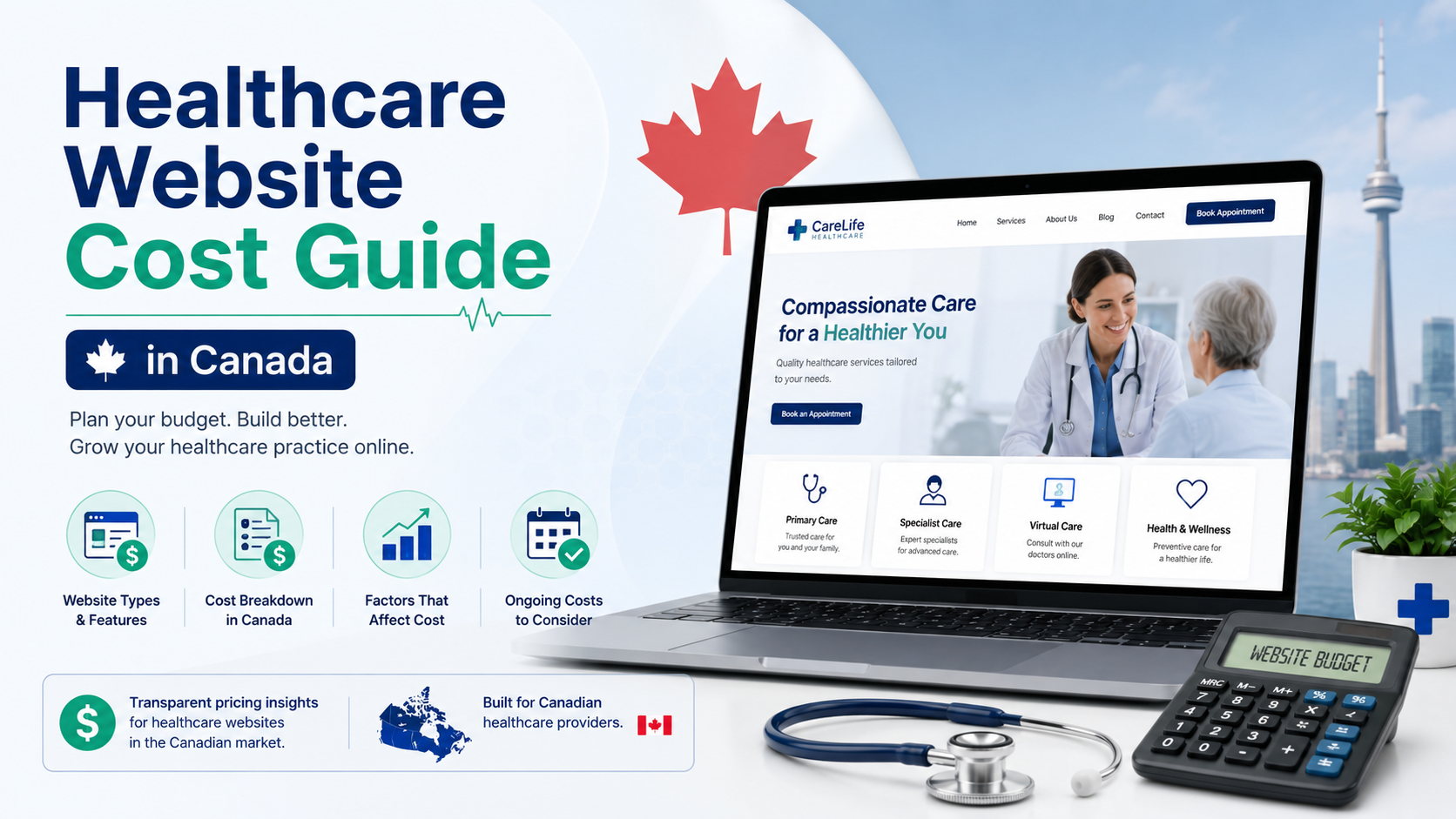
When you look for a Healthcare Website Cost Guide in Canada, you are usually met with massive price ranges from agencies or overly simplistic estimates from generic blogging platforms. This guide strips away the fluff to look at what actually drives the cost of medical and clinical websites in the Canadian market, focusing on compliance, architecture, and performance.
Building a clinical website isn’t about picking a pretty template. It involves managing patient trust, ensuring strict data security, and creating a friction-free booking path.
If you buy a pre-made theme, install fifteen plugins, and hope for the best, your upfront cost will be low. But your long-term cost in lost patient appointments and emergency developer fees will be staggering.
In Canada, medical websites must handle data with extreme care. While provincial regulations like Ontario’s PHIPA or Alberta’s HIA have specific mandates for electronic medical records (EMR), your public-facing website needs a secure frontend layer to prevent vulnerabilities.
Integrating systems like Jane App, ChronoMedic, or custom booking portals securely is where amateur setups break. A web development specialist ensures these systems interface via clean APIs rather than heavy iFrames that destroy your mobile layout and slow down your load times.
In provinces like Ontario, compliance with the Accessibility for Ontarians with Disabilities Act (AODA) is a legal requirement for many organizations. Your site must be navigable by keyboard and compatible with screen readers. A professional build structures the code correctly from day one, adhering to the standard WordPress.org accessibility guidelines rather than relying on buggy accessibility widgets that don’t actually solve underlying code issues.
Patients looking for a clinic are often stressed or in a hurry. If your site takes five seconds to load on a mobile device over a Canadian LTE network, they will click back to Google and find a competitor.
Many Canadian businesses pay agency prices only to receive a site built by a “theme installer” who stacks plugins until the server crawls to a halt. Here is how to spot the difference between an amateur setup and a professional asset.
| Feature | The Theme Installer Approach | The Hands-on Developer Approach |
| Core Architecture | Stacks heavy page builders and 30+ plugins. | Lightweight, custom block-based or clean-coded structure. |
| Performance | High page weight, slow mobile rendering. | Tailored optimization hitting top Google Core Web Vitals scores. |
| Security | Relies entirely on basic login-protection plugins. | Server-level hardening, sanitized inputs, secure database prefixes. |
| Scalability | Breaks during major core updates. | Independent architecture built to last for years. |
A multi-location physiotherapy clinic in Vancouver came to me after their site performance plummeted. Their previous development team had used a commercial medical theme crammed with visual effects, sliders, and unoptimized medical imagery.
The Cause: The site was loading 4.8MB of unused JavaScript and conflicting CSS files on the homepage alone. Two different booking plugins were fighting for database queries, causing the page to take 5.4 seconds to load on mobile devices.
The Fix: I stripped out the commercial theme, built a clean structure using native WordPress blocks, eliminated 18 redundant plugins, and properly offloaded the patient booking system to their external EMR via a lightweight API layer.
The Outcome: Mobile load time dropped to 1.2 seconds. The clinic reported an immediate 31% increase in successful online booking completions within the first month simply because the page stopped freezing on patients’ phones.
When assessing a comprehensive Healthcare Website Cost Guide in Canada, expect the investment to align with the complexity of your practice’s technical requirements.
| Clinic Type | Cost Range (CAD) | Included Features & Technical Scope |
| Local Clinic / Single Practitioner | $2,500 – $5,000 | Basic practice info, secure contact forms, integrated third-party booking links (e.g., Jane App), mobile optimization. |
| Multi-Location / Multi-Specialty | $5,000 – $12,000 | Custom clinician filtering, advanced accessibility compliance (AODA), multi-feed booking integrations, custom landing pages. |
| Enterprise / Custom Medical Platforms | $12,000+ | Custom plugin architecture, deep internal data routing, advanced security layers, patient portals, localized content delivery networks. |
A budget option often ignores security best practices. If your site handles user contact info or preliminary health intake data, a standard WordPress setup without sanitized inputs is a major risk.
Injecting malicious scripts into unhardened forms is a common way hackers exploit medical sites to redirect traffic or host spam. Implementing proper data transport security principles, as outlined in MDN Web Docs security standards, is mandatory for safeguarding patient trust.
Before you sign an agreement with a freelancer or a digital partner, skip the questions about their design philosophy and focus entirely on the engineering backend.
A great medical website doesn’t need to win design awards. It needs to make it incredibly easy for an elderly patient, a stressed parent, or a person with a visual impairment to find your hours, your location, and your booking button.
Every barrier you remove from your user flow directly impacts your bottom line. If your practice operates a specialized shop or sells clinic-exclusive products online, working with an experienced WooCommerce website developer to keep the checkout process secure and fast is vital for capturing that revenue.
If your website feels slow, frustrating to update, or isn’t generating the patient inquiries your practice needs to grow, this is exactly the type of technical audit and structural repair I provide for my clients. Whether you need an immediate fix via my specialized WordPress speed optimization service or a complete architectural rebuild using tailored custom WordPress development, I fix the core issues rather than pasting over the symptoms.
When evaluating any Healthcare Website Cost Guide in Canada, remember that you are building a digital front door for your medical practice. Saving a few hundred dollars on cheaper, unoptimized assembly-line development almost always results in thousands spent later on malware removal, performance optimization, or lost patient bookings.
Most websites try to impress users. The best ones remove friction. And that difference is what users remember—and what businesses profit from. Invest in your site as a core piece of your clinical infrastructure, not a generic marketing line item.